 linkuphq
Your group chat, with a home base.
Servers with channels for every topic, voice rooms you can drop into, and screen share for watching together. All in your browser.
Built for the way you already hang out
The tools you'd expect from a chat app, done properly.
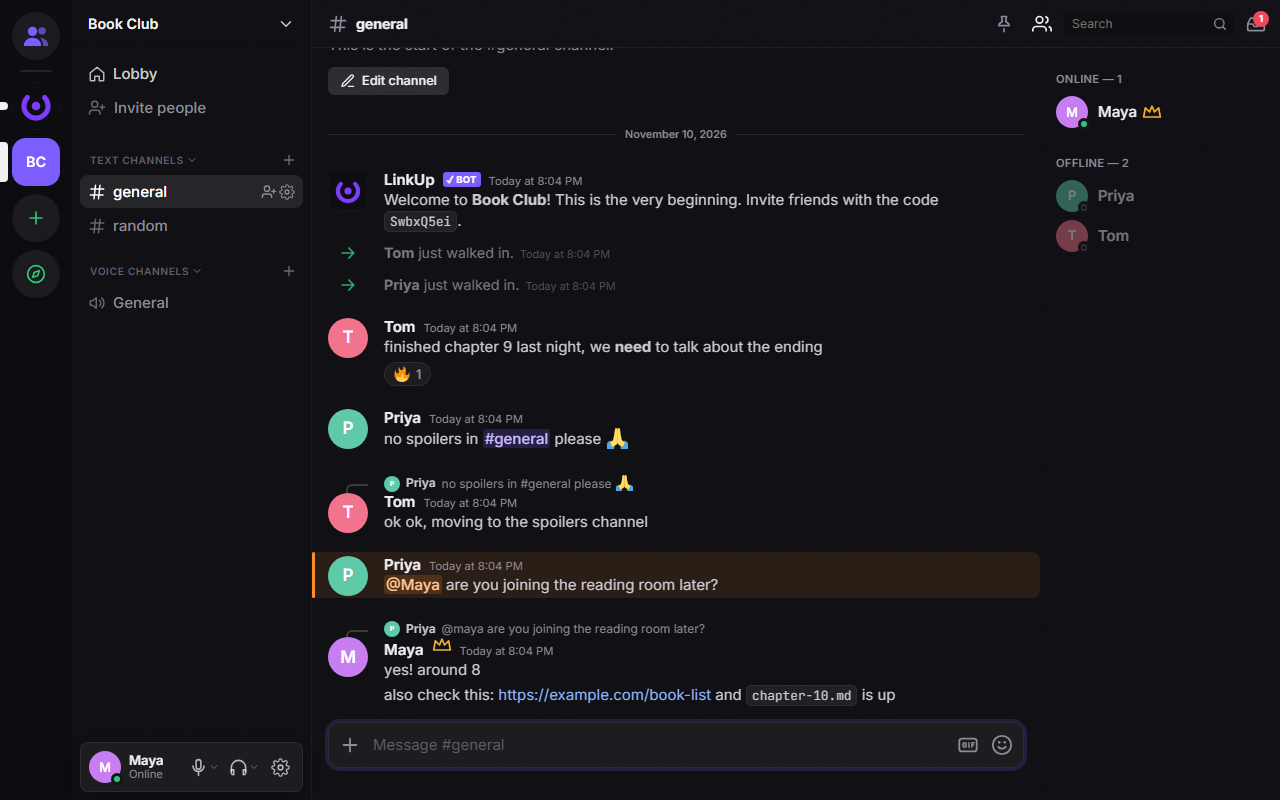
A channel for every topic
Group channels into categories, give each one an emoji, and keep announcements apart from the memes.
- Replies, reactions, polls and pinned messages
- Roles and permissions per channel
- Custom emoji and server tags for members
Drop in, no call needed
Voice channels are always open. Join when you're free, see who's talking, and leave when you're done.
- Camera and 1080p screen share
- Soundboard with default and custom sounds
- Push to talk, noise suppression and per-person volume
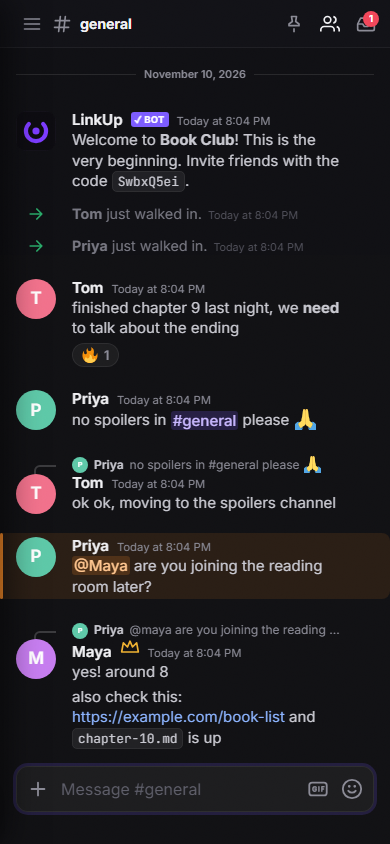
Same place on every screen
Start a conversation on your laptop and pick it up on your phone. Install it as an app or keep it in a tab.
- DMs, group chats and DM calls
- Profiles with banners, decorations and name fonts
- Moderation tools, onboarding and safety settings
Get LinkupHQ
Use it in your browser, or install it with its own window and icon.
Installs from Edge or Chrome. Opens in its own window, pins to your taskbar.
Open in Safari, tap Share, then "Add to Home Screen".
Open in Chrome and tap "Install app" or "Add to Home screen".
Start your server today.
It takes about a minute to set up. Invite your friends with one link.
Create an account